
Shopify Profit Calculator.
Calculate your true per-order profitability on Shopify. Includes payment processing, plan fees, apps, shipping, returns, and marketing costs.
Free Shopify margin calculator for ecommerce brands
Shopify storefronts hide cost in a hundred small places. Payment processing, plan tier fees, the third-party gateway surcharge, app subscriptions, return shipping, marketing CAC. This Shopify profit calculator pulls every line into one view so you can see net profit per order, not just gross. Use it before you launch a product, when you switch Shopify plans, or any time you need a Shopify fees calculator that actually matches your real cost stack.
- Compares Basic, Grow, Advanced, and Shopify Plus plans on payment processing, transaction fees, and break-even volume
- Factors in COGS, shipping, returns rate, ad spend, and app costs so the margin number reflects reality
- Doubles as a Shopify pricing calculator for new products and a Shopify break-even calculator for existing SKUs
- Built for DTC brand owners, dropshippers, ecommerce managers, and operators launching a new Shopify store
Product & pricing
Shopify plan & fees
Payment processing
Overhead & marketing
Per-order results
Profit waterfall
Shopify and payments
Your costs
- Basic plan billed at $39.00 per month, spread across 600 orders.
- Shopify Payments card rate 2.9% plus $0.30 per transaction, with no third-party gateway fee.
- Returns modelled at 4% of the selling price, since a refunded order gives back revenue you already spent to fulfil.
- Plan, apps, and marketing are fixed monthly costs, divided by your order volume to get a per-order figure.
- Break-even and target price solve for card rate and returns scaling with price, not as a flat deduction.
Estimates use published Shopify plan pricing and Shopify Payments card rates for a US store. Your negotiated rates, currency conversion, and chargebacks will move these numbers, so confirm in your Shopify admin before you price.
Built for Shopify unit economics.
Our Shopify calculator goes beyond basic profit math. These are the features that make it essential for your store.
Complete Cost Analysis: Calculate all costs including COGS, shipping, packaging, payment processing, plan fees, apps, and marketing.
Plan Comparison: See how different Shopify plans (Basic, Shopify, Advanced, Plus) affect your per-order profitability.
Payment Processing: Compare Shopify Payments vs third-party processors with accurate fee calculations.
Return Rate Impact: Factor in your return rate to see true profitability across all orders.
Monthly Projections: See both per-order and monthly profit projections based on your order volume.
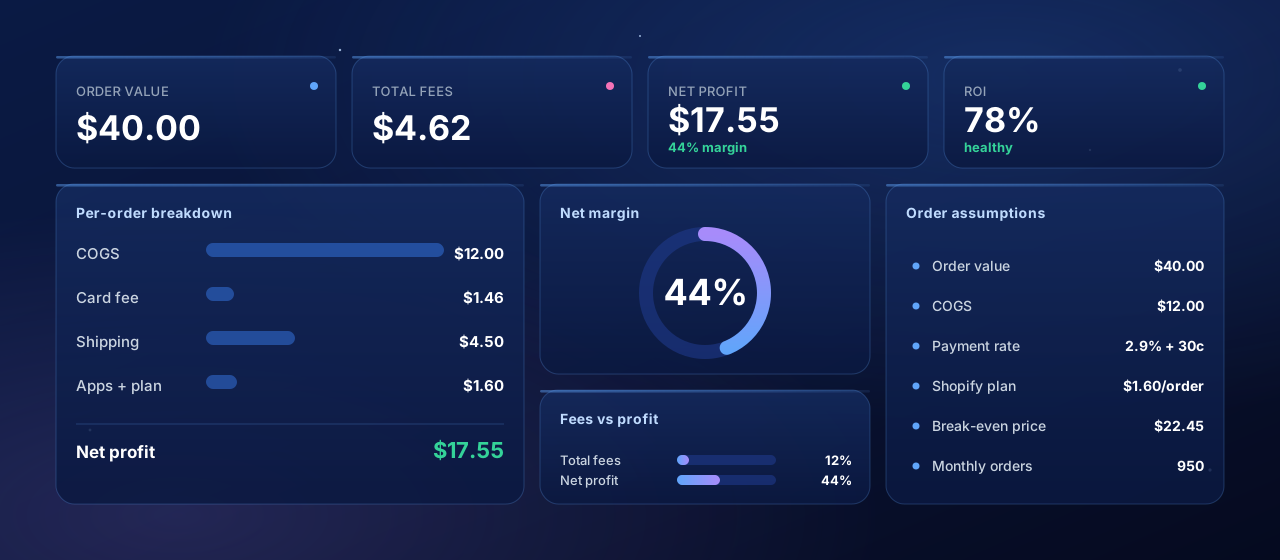
How this calculator works
1. Enter one order, not one month
2. Payment fees scale, plan fees do not
3. Not using Shopify Payments costs extra
4. Break-even volume is the number that matters
5. Returns give back revenue you already spent
6. Solve for price and for acquisition cost
7. What this does not include
8. Where organic demand changes the math
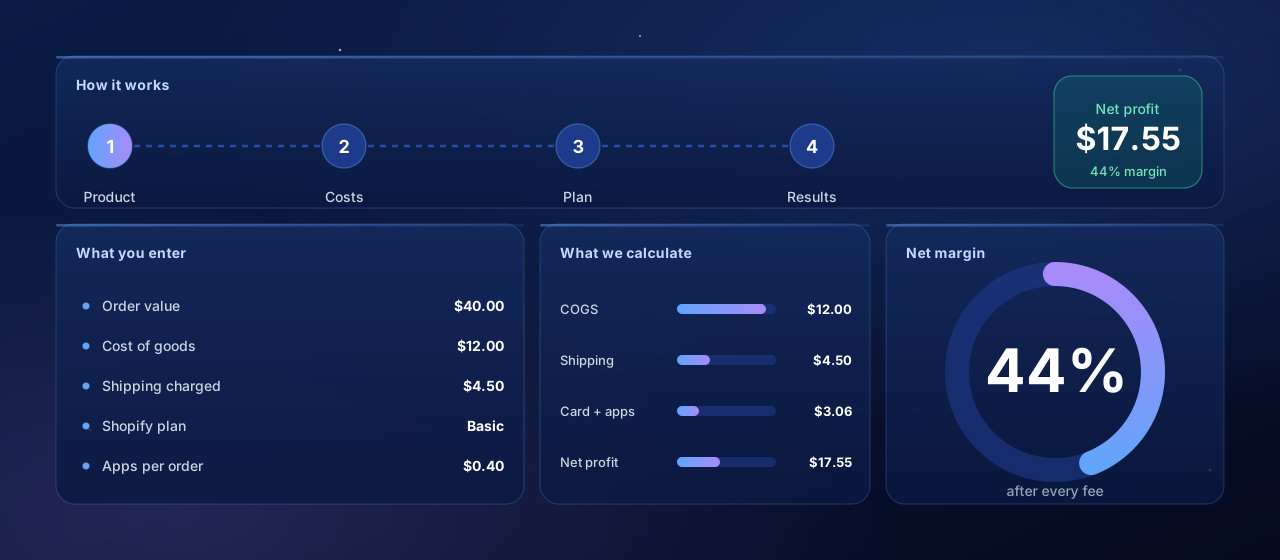
Run an order in four steps.
Enter your numbers once and the calculator handles the processing fees, plan costs, and return math for you.
Enter product costs
Input your selling price, unit cost (COGS), shipping cost, and packaging expenses.
Select your Shopify plan
Choose your plan and enter monthly orders to calculate plan cost per order.
Configure payment processing
Select Shopify Payments or enter third-party processor rates for accurate fees.
Add Operating Costs
Include app costs, marketing spend, and return rate for the complete picture.
Want help turning store margin into creator-driven sales?
We help Shopify and TikTok Shop brands recruit creators, brief them well, and scale what converts. 30 minutes, no pitch deck.
Know your real margin before you scale.
Most Shopify margin problems are baked in before you turn on ads. Modeling the cost stack up front is the cheapest insurance you can buy.
Find Hidden Profit Leaks: Payment fees, app costs, and returns add up fast. See exactly where your money goes.
Price Products Correctly: Set prices that deliver your target margins after all costs are accounted for.
Compare Plan ROI: See how different Shopify plans affect your per-order profit at your volume.
Account for Returns: Factor in your return rate to see true profitability, not just margin on successful orders.
Scale With Confidence: Make data-driven decisions when expanding your product catalog.
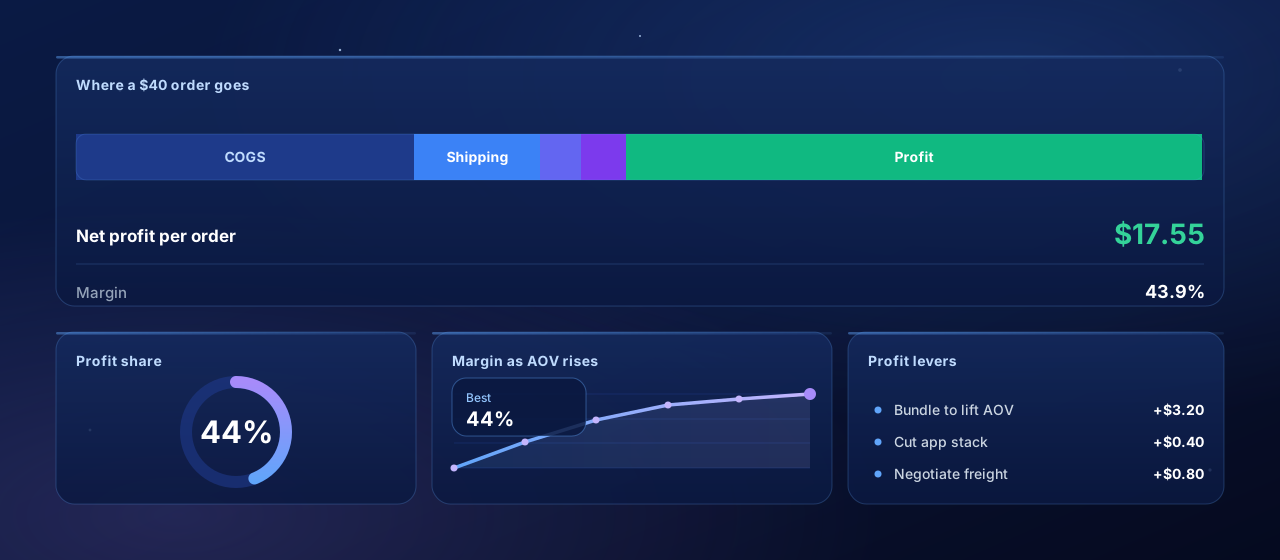
Use the calculator to grow profit.
The calculator is a planning tool, not just a fee lookup. A few habits turn it into a real lever on your bottom line.
Test Price Points: Find the optimal price that maximizes margins while remaining competitive.
Evaluate Plan Upgrades: See if upgrading to a higher plan with lower fees makes sense for your volume.
Audit App Spending: Identify if expensive apps are eating into your margins more than they're worth.
Optimize Shipping: Test different shipping cost structures to find what works for your margins.
Track Marketing ROI: See how marketing spend impacts per-order profitability.
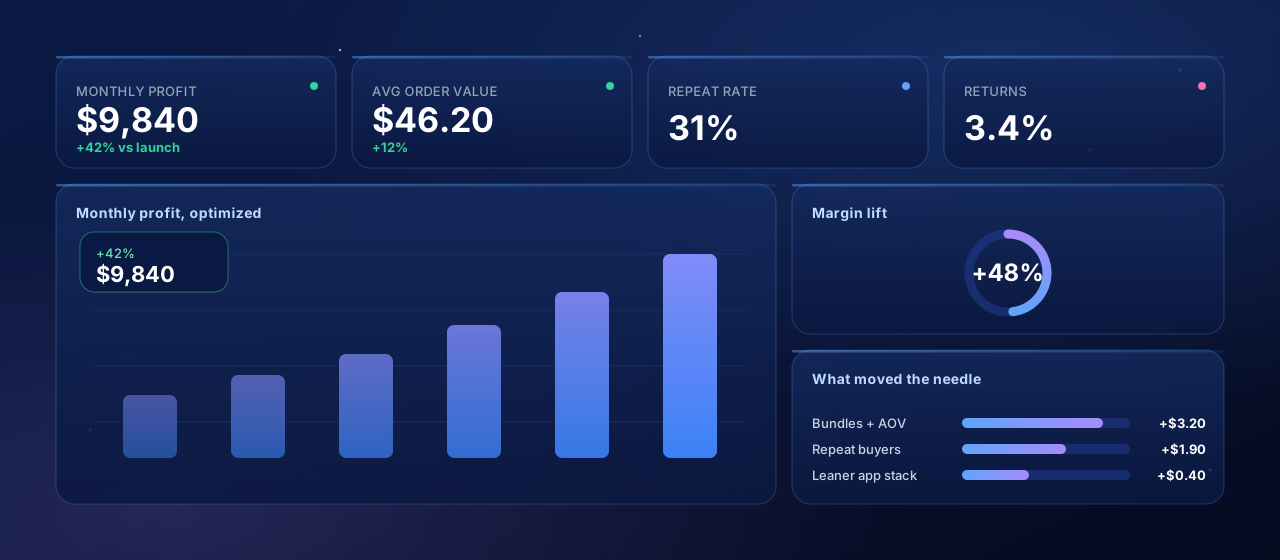
Who Should Use This Calculator?
Whether you're launching a new store or optimizing an existing one, this calculator helps you make profitable decisions.
Shopify Store Owners
Understand your true unit economics and optimize pricing for profitability.
Dropshippers
Calculate margins quickly when evaluating new products to add to your store.
E-commerce Managers
Run profitability analyses and justify pricing decisions to stakeholders.
New Store Launchers
Plan your pricing strategy before launch to ensure profitability from day one.
Questions, answered.
This calculator is provided for informational purposes only. Results are estimates based on publicly available fee structures and may not reflect your actual costs. Always verify current rates with the platform before making business decisions.
Automate your creator campaigns.
From outreach to GMV reporting, Hubfluence runs every part of your creator campaigns for agencies and enterprise brands. Set it up once, scale it across every brand you manage.
 Creator Discovery
 Campaign Management
 Social Intelligence
 Reporting & Analytics