
Campaign Budget Calculator.
Plan your creator campaign budget. See exactly how your monthly spend breaks down across creator tiers and how far your budget stretches.
Free influencer marketing budget calculator
An influencer marketing budget that looks fine in a deck rarely survives contact with reality. Sample costs, paid amplification, gifting fees per creator tier, and the long tail of mid-campaign add-ons compound fast. This influencer budget calculator breaks your monthly creator campaign budget down across Bronze, Silver, Gold, and Platinum tiers so you can see how many real partnerships your spend supports before you commit to a brief.
- Models creator campaign budget across nano, micro, mid-tier, and macro creator partnerships
- Adjustable cost-per-creator inputs so you can match your negotiated influencer campaign cost, not generic averages
- Surfaces the cost split between sample seeding, base creator fees, and paid amplification at a glance
- Built for ecommerce brand owners, agencies, marketing teams, and virtual assistants planning monthly creator programs
Campaign setup
Creator tiers
Creator Allocation
Additional costs
Results
Plan a creator budget that performs.
Our campaign budget calculator helps you split spend across creators, boosting, and samples with a clear forecast attached.
Tiered Creator Pricing: Set up custom payment tiers (Bronze, Silver, Gold, etc.) with different rates for each creator level.
Roster Management: Add individual creators with handles, or import entire rosters from CSV files and spreadsheets.
Multi-Month Projections: See how your monthly budget scales across campaign durations of 1-12+ months.
Additional Cost Tracking: Factor in platform fees, product samples, and shipping costs for complete budget visibility.
Shareable Budget Plans: Generate links to share budget breakdowns with stakeholders or save for future reference.
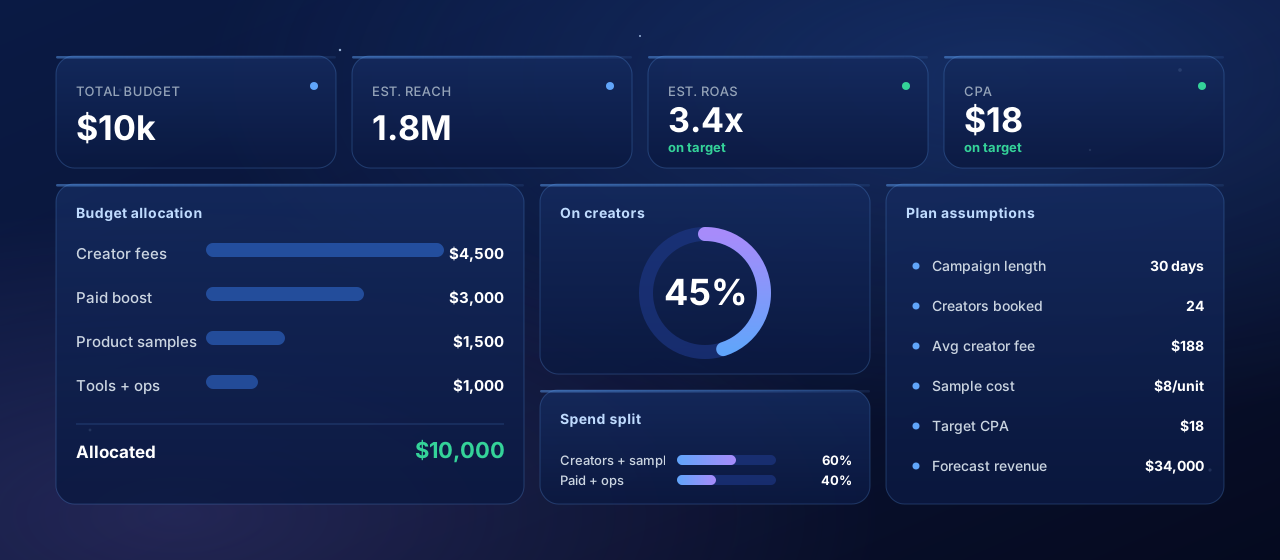
How this calculator works
1. Build the roster, then check it against the budget
2. Tiers are your rate card, not a ranking
3. Fixed costs are per month, not per creator
4. Runway is the number to watch
5. Flat fees are only half of most programs
6. What this does not include
7. Where a bigger roster changes the economics
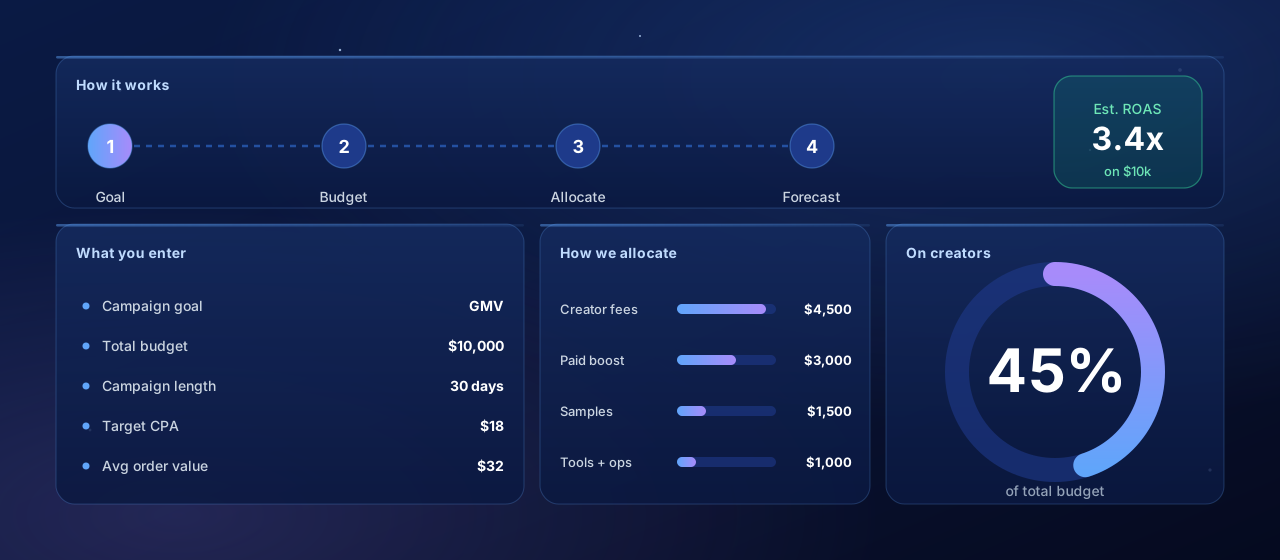
Plan a campaign in four steps.
Set a goal and a budget, and the calculator allocates spend and forecasts reach and return for you.
Set Your Monthly Budget
Enter your total monthly budget and campaign duration. The calculator shows both monthly and total campaign costs.
Configure Creator Tiers
Use the default tiers or create custom ones. Click on any tier cost to edit it based on your negotiated rates.
Add Your Creators
Use Roster mode to add individual creators, or Quick mode to set counts per tier. Import from CSV for large campaigns.
Review & Share Results
See your monthly and total costs with remaining budget. Share the link with stakeholders for approval.
Want help allocating your budget for the best ROAS?
We help TikTok Shop brands and agencies plan spend, recruit creators, and scale what returns. 30 minutes, no pitch deck.
Budget planning protects your ROAS.
Unplanned spend is where creator budgets quietly leak. Modeling the split up front keeps every dollar tied to a target.
Avoid Budget Overruns: Know exactly how much you'll spend before committing to creators. No surprises mid-campaign.
Include Hidden Costs: Platform fees, product samples, and shipping can add 20-40% to creator fees. Factor them in upfront.
Optimize Tier Mix: See how different combinations of micro, mid-tier, and macro creators affect your budget and reach.
Get Stakeholder Buy-In: Present detailed budget breakdowns to leadership for faster approvals and aligned expectations.
Scale Confidently: Plan multi-month campaigns knowing exactly what each month will cost as you add or remove creators.
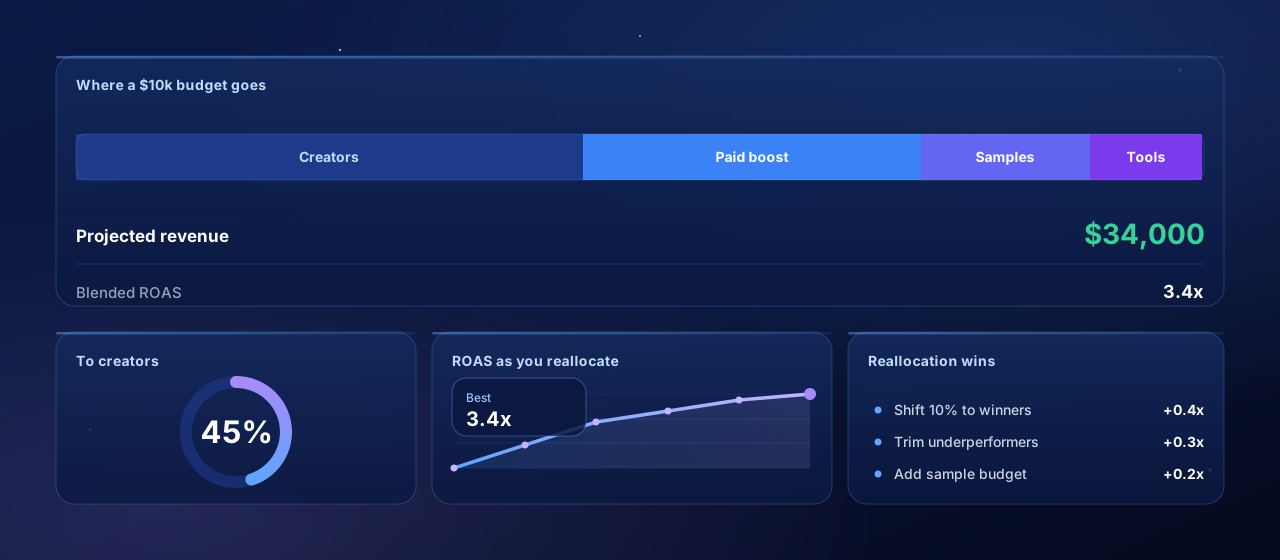
Reallocate toward what works.
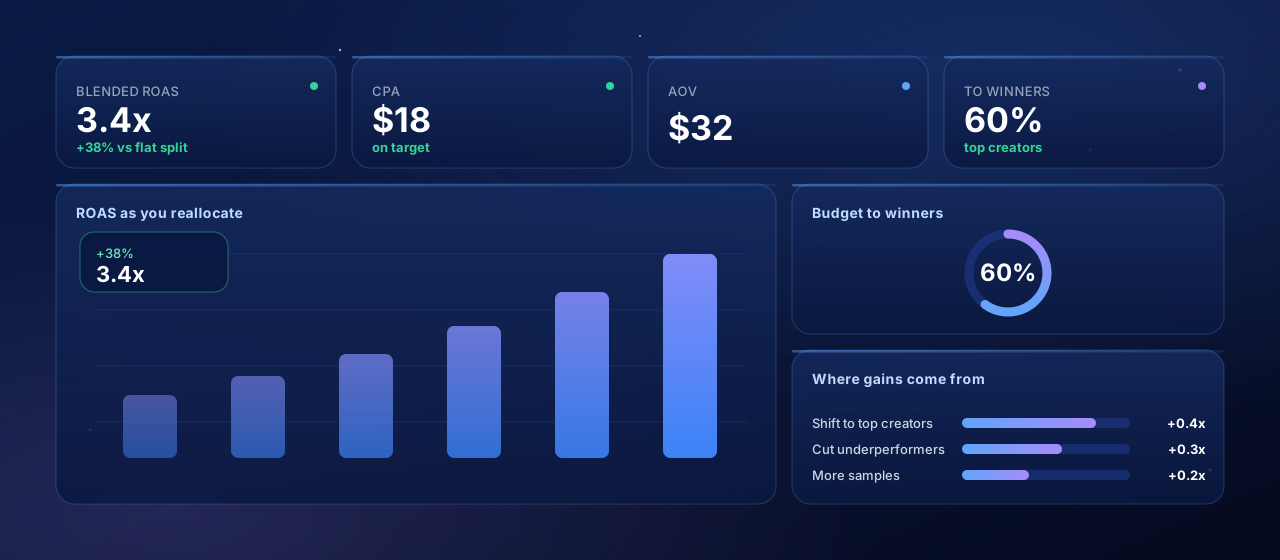
The calculator is a planning tool, not just a splitter. Shifting budget to your best creators is the fastest way to lift ROAS.
Balance Your Tier Mix: Combine a few high-impact macro creators with many micro-influencers for reach and authenticity.
Run Multi-Month Campaigns: Longer partnerships often come with discounted rates and build stronger creator relationships.
Optimize Seeding Costs: Negotiate bulk shipping rates and consider product bundles to reduce per-creator seeding expenses.
Reinvest in Top Performers: Track creator performance and allocate more budget to those driving the best results.
Keep Budget Buffer: Reserve 10-15% of your budget for emerging opportunities and high-performing creator bonuses.
Who Should Use This Calculator?
Whether you're planning your first influencer campaign or managing enterprise-level creator programs, this calculator helps you budget with confidence.
Brand Marketing Managers
Plan and justify influencer marketing budgets with detailed cost breakdowns for leadership approval.
Influencer Agencies
Create professional budget proposals for clients with transparent cost allocation and tier breakdowns.
E-commerce Brand Owners
Calculate full campaign costs including product seeding before committing budget to creator partnerships.
Campaign Coordinators
Manage creator rosters, track costs in real-time, and export budget reports as campaigns evolve.
Questions, answered.
This tool is provided for informational purposes only. Results are estimates and may not reflect your actual costs. Always verify rates and fees before making business decisions.
Automate your creator campaigns.
From outreach to GMV reporting, Hubfluence runs every part of your creator campaigns for agencies and enterprise brands. Set it up once, scale it across every brand you manage.
 Creator Discovery
 Campaign Management
 Social Intelligence
 Reporting & Analytics