
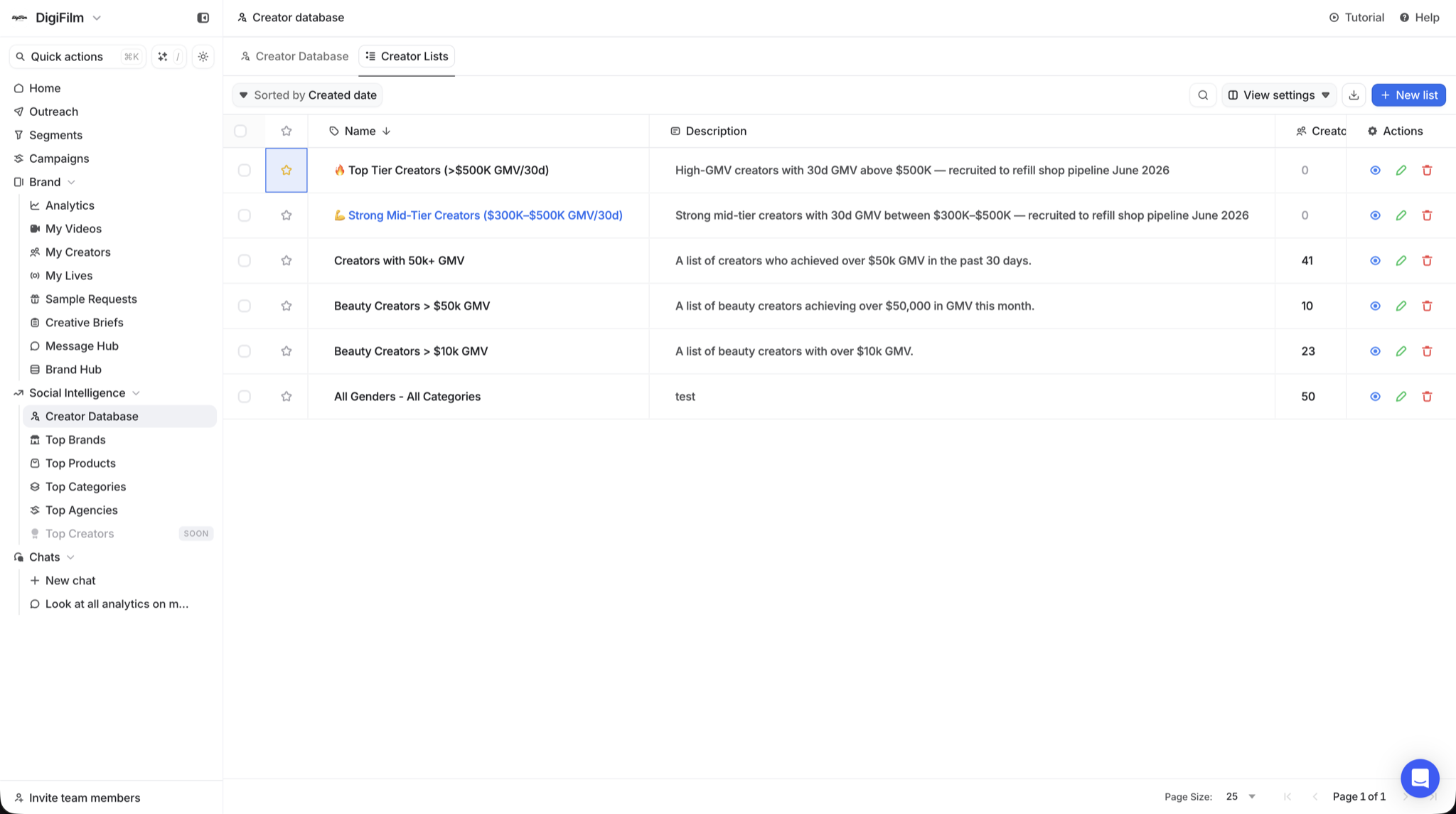
Who this is for
Anyone managing more than a handful of TikTok Shop creators. The spreadsheet stops scaling around 100 names; Creator Lists pick up where the spreadsheet falls apart.
- Brand owners with multiple SKUs who need a different shortlist per product.
- Marketing teams running parallel campaigns and tracking who's on which list.
- Agencies juggling 5 to 50 client brands and need rosters per client.
- Operators who want to tag VIPs, follow-ups, and prospects without losing track.
Why outreach falls apart without organization
Hundreds of creators across multiple SKUs gets messy fast. Three patterns show up over and over.
- Creators fall through the cracks. Without structure, promising creators get lost in the noise. You forget who you reached out to, who's waiting on samples, and who's ready for the next campaign.
- Wrong creators, wrong products. Without SKU-specific lists, sequences blast everyone the same way. Beauty creators get pitched fitness SKUs. That wastes samples and burns relationships.
- No way to prioritize. Top-selling creators get the same treatment as someone who never posted. Without lists and tags, VIPs don't get the attention they've earned.
How Creator Lists work
Three steps, all inside one workspace. Discovery, organization, and outreach stay connected end to end.
| Step | What you do | Outcome |
|---|---|---|
| 1. Filter and save | Pull creators from the Creator Database using filters: niche, country, GMV, audience age, language. | Save them into a named list per SKU, niche, or performance tier. Unlimited lists, unlimited creators. |
| 2. Push into sequences | Connect a list to an outreach sequence (Email + TikTok DM). Each list targets different creators with the right offer. | Personalized outreach to the right audience without re-importing creators between tools. |
| 3. Track and refine | See which lists drive the most content and sales. Update tags and re-segment as creators move through the funnel. | Compounding results: the rosters get sharper every cycle, and your sample budget goes further. |
Talk to us
Want help structuring lists for your category?
We'll walk through how to split your roster across SKUs, niches, and performance tiers in 10 minutes. No deck.
What you actually get
- Unlimited lists on every plan. Build as many as the program needs.
- Unlimited creators per list. No artificial caps as your roster grows.
- One-click handoff to sequences. Lists feed straight into Email and TikTok DM Sequences. No exports, no CSVs.
- SKU, niche, tier tagging. Build separate rosters for each product line, content type, or performance bucket.
- Feeds Auto Responder + Sample Manager. Lists are the audience for every other tool in the workspace.
How to get started
- Open the Creator Database and apply your filters (niche, country, GMV, audience).
- Save matched creators into a named list per SKU or launch.
- Connect the list to an outreach sequence and launch the first touch.
- Tag VIPs and follow-ups as replies come in.
- Refresh weekly. Add new creators from the Database and prune cold ones from each list.


